Posts Tagged ‘Student groups’

h1

Class 9: Assessment

April 5, 2017

Glenn and John took the class through the requirements for assessment, which is divided into two parts. Firstly, the group project and secondly, the individual blogs.

Firstly, each participant will be producing a series of digital paintings as part of their main module. For the SL module you will produce a large-scale group canvas (in the groups given in week 3). We are asking you to collaborate on a canvas to give you the experience of working on an online collaborative project. You will bring the finished canvas into SL for a group crit and exhibition.

The exhibition will take place in Cape Able Gallery on Virtual Ability Island in May (provisional dates are 17 or 24 May). A team from the class (burnsygirl, freddymcfreddy and whatyamacallit) will coordinate the exhibition with the curator of the gallery and will also invite residents of Virtual Ability Island to take part.  Part of your learning in this module is figuring out how to work virtually with people you have never met in RL.

Each group will give a short talk to present their work and discuss the experience of working in a team, virtually, collaboratively. This will be followed by a crit.

There will be a dry-run in DIT on 26 April. You will show your work in progress more to get a feel for exhibiting in SL than anything else. John suggested that you should review the module website to see how past student groups have presented their work.

Secondly, you will be assessed individually on your blogs. You need to ensure that you have made the five mandatory posts as described in the ‘Things to do before next class’ section of each class summary. Following that you should have at least five more posts describing your engagement in the group project.

Finally, 50% of the marks for this module go on the group project and 50% go on the individual blogs. For full details see page 6 module assessment.

h1

Class 3: Teamwork and collaboration

February 22, 2017
snapshot_001

Open discussion about places students visited in SL since the last class.

Locks Aichi, formerly of the DIT Learning Teaching and Technology Centre and who has been teaching the module since it started, joined the class this week. She will be around to provide support and guidance from now on.

We began class by explaining the thinking behind our SL avatars names. Some people have chosen to model their avies (as they are known in SL) on their RL selves and consequently the name reflects this choice. Others have developed new ‘en ligne’ personalities that may reflect previous engagements or suggest future exploration, with correspondingly thoughtful names. John explained that when he started in SL in 2006 residents had to choose a surname from a existing list, which gave him Tae. Forenames could be freely invented so Accupa was impossible to resist. However, when SL changed its policy to allow any name to be allocated to an avie he reverted to John O’Connor. Maintaining two identities was too time consuming! So, if anyone is unhappy with their initial choice it can be changed but make sure to let everyone know.

The discussion moved onto a report on the locations everyone had been visiting since the last class. You have been very adventurous exploring pubs, museums, shopping malls, clubs and even some venues of dubious repute. Many have tried dancing, with varying degrees of success; chatting with other residents; flying; teleporting; and generally trying to get a feel for the environment. You are noticing the nuances of etiquette in this particular virtual space and, despite the occasional embarrassing moment, settling in very well.

The opportunity to observe your own responses to being in this strange new environment, one where you feel awkward and clumsy as you try to control your avie, and struggle to understand the conventions around acceptable behaviour, are not lost on you – everyone is reflecting on this. But, John reminded the class not to become too caught up in SL as an end in itself – the module merely uses SL to explore online behaviour in its broadest context, particularly for how teamwork and collaboration can be facilitated and supported. Keep that in mind while you inhabit the space.

We had hoped to look at Teamwork and Collaboration in more detail but time ran out. We did, however, present the teams you will break into for the main project, and in which you should continue your online exploration. Get used to working together online.

Group 1: shadidame; freddymcfreddy; ChipVanCorner.
Group 2: AlxMway; Burnsygirl; whatyamacallit.
Group 3: Saoise; jackmittons; amarcordcat.
Group 4: Deeuwan; Fayebubba; Inchydoney.
Group 5: Yashurdoshur; Agendasm; Yogitea.

John also said he would give each avatar L$300 for pocket money – instantly transforming from lecturer to Dad! Don’t get excited and spend it all at in the first shop – you will need some of it to upload images into SL for your project (at a cost of L$10 per image). By the way, your pocket money is the equivalent of about US$1. Your ‘bank balance’ appears in the menu bar at the right hand side.

THINGS TO DO BEFORE THE NEXT CLASS:

  1. Meet: at least two residents of SL and try to engage them in conversation.
  2. Write the third post: to your blog describing your encounters.
  3. Read: (if you haven’t done so already) the very short story The Ones Who Walk Away From Omelas. Ursula K Le Guin. 1973.
  4. Prepare: one question about the text to propose to the group at the next class.
h1

Class 12: Group projects

December 15, 2016

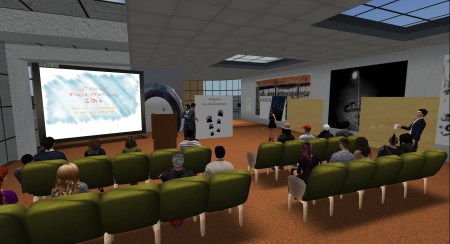
The final class presentations were made by all six groups of students and were impressive. Everything proceeded as planned without any technical issues arising and it was clear that each team had prepared and rehearsed sufficiently. Special guests Sitearm Madonna and Gentle Heron remarked favourably on the quality of the presentations and complimented the work. Two of the groups also provided YouTube videos for the record.

snapshot_004

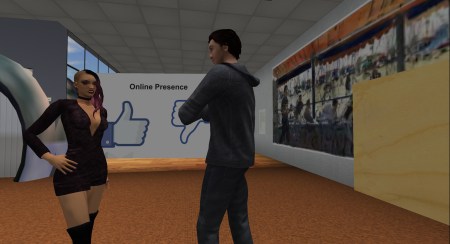
The first group got the class off to a good start.

snapshot_012

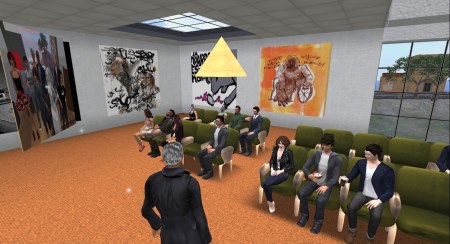
The class sat in rapt attention for each presentation.

snapshot_017

Each group made use of supporting visual material.

John concluded the class by thanking the participants for their attendance, attention, engagement and lively participation throughout the module.


h1

Class 10: Building

December 1, 2016

This week John is in Florence at the ELIA Biennial Conference so he logged into SL from his hotel room. It seems the wifi signal was good enough to support voice, apart from some reported background hissing, so the class was able to proceed as usual.

John reminded everyone that the student feedback form Q6A should be completed online by everyone (many of you have already done so) and it is completely anonymous so you may be brutally honest!

The class tried their hands at building simple shapes in SL during class. Starting with basic cubes which we positioned on the balcony wall we stretched them into flat panels and then placed images on them. This will serve as a basic slide presentation screen for delivering your group projects in two weeks. Create your images in Photoshop (512 x 512 pixels) and save in jpg format. Upload the jpgs to SL from the menubar Build>Upload>Image. This will cost L$10 (contact John if you have spent all of your allowance!).

Video is not very reliable in SL so John recommended posting to YoTube and providing a link if you want to use moving images.

There will be six groups presenting on Thursday 15th December and no matter how well prepared we all are technical issues inevitably arise which leads to delays. So please aim to remain in class until 9.30 pm to give everybody enough time to present comfortably.

John closed with a reference to this week’s reading list. It addresses the use of social media in disaster relief and business and the power of hashtags. We will discuss the implications next week.

snapshot_001

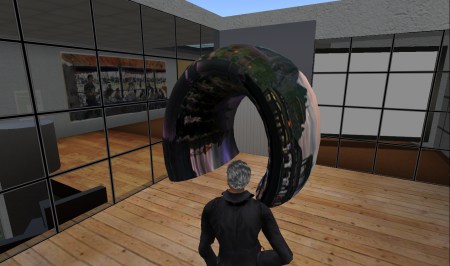
Poilination created an elegant archway into the classroom from the balcony.

THINGS TO DO BEFORE THE NEXT CLASS:

  1. Read: Technology’s Impact on Disaster Relief which talks about the use of Twitter, Google and other apps for coordination between relief teams.
  2. Look at: The History and Power of Hashtags in Social Media Marketing an infographic.
  3. Read: Five brilliant ways to use hashtags in social media marketing.
h1

Class 9: Project review

November 24, 2016
snapshot_002

Pints and cocktails in class…?

We started class this week by agreeing to reschedule the project presentations to Thursday 15th December – only three weeks away. John also suggested that seven minutes would be the ideal length.

The class meeting then considered progress on the major project to date. All six groups have started researching the online presence of their colleagues to discover a range of profiles – some of you have considerable presence while others appear to have remained off the grid. This has been a deliberate choice in some cases. It will be interesting to see if any unexpected or surprising data emerges (but, remember to respect individual privacy and anonymise findings where appropriate).

For the next stage of development in the project ensure you consult the Reading and watching list in the brief and reference the content in your presentation. You should also try to find your own references and include them. This reading should inform and support your perspective.

John demonstrated how to construct a simple view screen for presenting your project. You will need to have the module group activated to allow you to build an object in the DIT space. It will be returned to your inventory after you log out so look for it in your ‘Lost and Found’ folder next time you log in.

THINGS TO DO BEFORE THE NEXT CLASS:

  1. Read: the project brief again… carefully… pay particular attention to the outcomes. Make sure you understand exactly what you are being asked to do.
  2. Read: the assessment criteria again. This will help clarify what you need to produce.
  3. Write the tenth post: to your blog describing your role in the team and how you have contributed to the project so far.
h1

Class 8: Content creation

November 17, 2016

John started this week by discussing the student blogs. He recommended that you have a look at each others blogs for reference. Compare them with your own blog for insights into how you could improve. You have until 8.00 pm next Thursday to bring your blog up to date before the week 8 assessment. One or two of you need to complete your bios in the ‘About’ section. In response to a question John did not recommend revising old posts but rather, put any effort into your future writing – this will give a better opportunity for improving your mark as it will demonstrate improvement and that you are learning. If any of you would like direct feedback on your progress speak to John after the class and we can discuss then or make any appropriate arrangement.

From now on your blog posts should report and reflect on the group project. Discuss how your team is functioning, how roles are filled, meetings are organised and conducted, decisions are made, work schedule agreed etc. Look at your own contribution in a critical light and describe what you discover about working in an online team: what makes it difficult and what supports it. Remember, you don’t need to use SL – any online tool or application that works for your team is good.

snapshot_003

Does this qualify as a diverse range of class participants…?

We went on to discuss the project in a little more detail after that. Some of you have been meeting in your teams while others are just getting started. Some of you have begun researching your own and your team mates digital footprints using Google searches. This is a good way into the project and should be a feature of each team’s approach. However, be sensitive to each other’s right to privacy and don’t go so far as to cause discomfort to your colleagues. This is a class project not a private investigation! Back away if it starts to become personally uncomfortable for anyone. The final presentation should describe your methodology (how you researched the project), a summary of what the team discovered about the members online presence, a reflection on your reaction (were you surprised by anything discovered?) and a possible scenario where the information could be exploited by others.

On a daily basis most of us are generating ‘content’ online and broadcasting it to the world. Whether anyone is interested in it, or even aware of it, is a different matter. Before the internet facilitated such easy access to broadcasting there were gatekeepers in the form of newspaper and book editors, financial controllers etc. This provided some form of quality control. Now, much of what is published on the web is worthless making the issue of ‘value’ more important.

THINGS TO DO BEFORE THE NEXT CLASS:

  1. Look up: the infographic Things that can and can’t be copyrighted.
  2. Read: this thoughtful blog post Content and licensing in virtual worlds about the legal issues around protecting ‘things’ you create in SL and online in general. Read the comments also.
  3. Write the ninth post: to your blog reflecting on the progress being made on the group project.
h1

Class 7: Communities and identity

November 10, 2016
blank-mask-e1327157800737-779x1024

Online identity versus ‘real’ identity.

This week we had a lively discussion that was informed by our visit to Virtual Ability Island in the previous class. The differences between real and virtual spaces became apparent when we considered the limitations of  Second Life. For example, avatars can have difficulty negotiating stairs, particularly spiral staircases, but this has not led to their replacement: experience of Real Life building has shaped our approach to building in virtual worlds for the same reason that early motor cars resembled horse-drawn carriages.

An understanding of what helps us to feel comfortable in a virtual space is very important in the development and support of online communities not just in SL but in general. The rules of engagement need to be clearly defined as do the conventions around acceptable behaviour. Regulations, conventions and etiquette help to define a community and support the feeling of belonging to a group and participating. Joining a community requires patience and a certain amount of commitment – while the rules may be published, conventions and etiquette are less clear. It take time to observe and learn them as you gradually become engaged.

This is also an important aspect of team building. Even in Real Life teams can be difficult to manage and tend to be successful when the social glue that holds them together is given attention. This is even more important for online teams that  meet only virtually. For success you must consider how to support social interaction before you get down to the ‘real work’.

Another important criteria for successful group work and team building is trust. This fundamental human condition can be delicate in Real Life so how much more so is it in virtual environments? Building an online identity is really a matter of building trust. The example of the Syrian lesbian blogger demonstrates how easy it can be to build a persona and how devastating it can be if it emerges that the persona does not match Real Life.

John gave some feedback on your blogs reminding everyone to ensure you are writing on the required topic. Generally, the descriptive writing is good and posts are well illustrated. Now it is time to become more reflective. Write about your own response to your learning, how you might apply it and where you are finding it difficult.

THINGS TO DO BEFORE THE NEXT CLASS:

  1. Write the eighth post: to your blog describing how your team has approached planning your project, dividing the work and addressing conflict.
  2. Lecture: watch From Prosumer to Produser: Understanding User-Led Content Creation by Prof Axel Bruns (Creative Industries Faculty at Queensland Institute of Technology) who explains his theory of user-led collaborative content creation.
h1

Class 5: personal branding – presence online

October 20, 2016

Class began with a review of the student groups. Some of the groups have been unable to make contact with one of their members so John suggested that we would consider the groups again next week. By then the pattern of class attendance will have emerged and if some realignment of membership is required we can do it then.

Most of the class have now joined the Facebook group and everyone agreed that it is a very useful way to keep in touch with class issues because most of us access the app regularly throughout the day. John asked how the group members intend to communicate online and it appears that many of you will use Facebook messenger. In addition to the advantage of regular checking it is also accessible across may platforms – phone, pc, tablet etc. This gives it an advantage over WhatsApp, WeChat and other apps that are limited to the phone.

Only some of you had read the articles posted here last week so there was a limited discussion on how employers might interact with employees who have a very public social media presence. In the four years since the Wall Street Journal article was published the landscape has changed so much that it appeared quite dated. However, it did begin a discussion about the ubiquity of social media and how our real lives are becoming synonymous with our online profiles. We will return to this subject next week.

lauks-nest_002

Lauk’s Nest, one of the oldest parks in Second Life, was built in 2004 by Laukosargas Svarog.

The class finished with a visit to Lauk’s Nest, one of the oldest natural parks in SL. Symeon Siamendes greeted us by offering cocktails and a notecard giving the history of the park. It was created only two years after the launch of SL itself, in 2004 and, almost uniquely for the virtual world, it has been sold to different owners four times since then. Each has maintained the integrity of the original creation.

John commenced disbursement of L$300 to each participant and said he would ensure everyone received their payment before class next week.

THINGS TO DO BEFORE THE NEXT CLASS:

  1. Look at: the infographic Personal Branding: 10 Steps to a New Professional You.
  2. Explore: Humans of New York Facebook page and related social media see how Brandon Stanton has used social media to make an impact- an example being his use of instagram, facebook, twitter alongside the blog. Take note of how he has identified and positioned himself.
  3. Read: about the Heron Sanctuary which we will be visiting next week. Virtual Ability Inc. 
  4. Write the fifth post: to your blog about how you might convert your personal presence online into an identity for professional networking.
h1

Class 3: Digital footprints

October 6, 2016

Following last week’s poll to select a communication app we agreed to set up a private Facebook group. Details will be circulated during the week.

Participants spoke about their experiences visiting locations in SL. You selected them from the list of suggestions offered by SL and from talking to other residents (as those who ‘play’ SL are known). Many of you appear to have visited interesting places that were unnervingly empty of people. This may well have been due to the time zone differences. But some of you found lively social gatherings that led to interactions with others. We talked about the maturity rating of locations from G(eneral) through M(oderate) to A(dult). It is important to remember that just as you would take care to read your surroundings in Real Life you should be cautious when visiting new places in SL.

John reminded the class that every participant should have their blog set up now, with at least two posts written (as described in the previous two class summaries) and the ‘about’ section completed. Some of you have not submitted links yet and should do so immediately. Remember, the blogs are assessed for progress after week four and need to be up to date before class five starts at 8.00 pm on 20th October.

You all received a notecard when logging into SL for the class, listing the student groups for the project. Only students who have submitted their blog were on the list. An updated list will be circulated next week. The brief for the project Who’s watching you has been posted on the website. We discussed the theme and John pointed out the reading and watching links that will get you started on your research work. Last week’s reading 5 steps to build a productive and tight-knit remote team should help you get started on the practicalities. The purpose of the project is to give you the opportunity to work collaboratively online so, please try to limit Real Life encounters on the project!

THINGS TO DO BEFORE THE NEXT CLASS:

  1. Go: outside your established community/group (eg, this class group) in SL and make contact with at least two people relevant to your interests (artist, gallery owner, musician, shop manager, business owner, educator, builder, etc). Try to engage them in conversation.
  2. Write the third post: on your blog describing your encounters.
h1

Group project: Who’s watching you?

October 6, 2016

742529main_kepler62f_full

For the project you will explore the concept of your digital identity and it’s importance to you and anyone else. In your groups you will research the traces each of you has already left online, your digital footprint: what you are sharing? what can others learn about you? who might be watching you? who owns the information you might have thought was private? And, most importantly, what value might it have to others and what are they doing with it?

The tacit agreement most of us make when we engage online is that our personal details, behaviour, preferences, likes and dislikes and so on will be shared in exchange for the ‘free’ availability of useful or entertaining apps, games, tools, services etc. Most of us share apparently innocuous information online on a daily basis. Taken on their own, these nuggets of personal information seem harmless but, when they are aggregated the result can be a surprisingly comprehensive profile of our behaviour. The corporations engaged in this activity protect themselves by asking us to agree to Terms of Reference when signing up for services but, does anybody read the terms? and if you do read them have you ever decided against proceeding to sign up?

This information is gathered legally and often shared legally. But in addition, there are more sinister operators at work in the so-called ‘dark web’. They will seek to break encrypted information you may reasonably expect to be kept secret: credit card details from legitimate online purchases for example.

In the early incarnation of the world wide web it was often compared with the wild west of the US, a new frontier with little regulation or law enforcement. While that has now changed and much activity is in fact regulated the fact remains that we are in new territory. As major corporations gather information the unexpected consequences of the ‘big data’ phenomenon is only beginning to emerge.

For the project you are to research the digital footprint of your group members. Consider all your online activity, whether through social media, shopping, gaming, correspondence, searching and researching, downloading, communicating and so on. Build a picture of the shadow you are leaving behind, the information that might remain online for others to find. Analyse the impact this may have and envisage a scenario where it might be used by unscrupulous operators to their own benefit.

Present your findings in an entertaining, informative and lively manner using whatever medium and format you wish as long as it can be stored for later review (e.g. a talk, short film, narration+visuals).

Each participant must also describe the progress of the project in a weekly blog post with particular emphasis on their contribution to the project. (What are you bringing to the group and how does it fit into the team’s work?) Discuss the details of the project and also the issues that arise in working collaboratively online. How easy is it meet up virtually and plan the project? What difficulties arise in development? How easy or difficult is communication? What particular problems arise and how do you deal with them? Focus on the experience rather than writing a ‘correct’ post or having an answer for every difficulty.

See page 6 Module assessment for assessment criteria applying to this project.

Important note: If you use images or sound be mindful of copyright, particularly as presentations will be posted to the module blog.

Presentations should be no less than 5 minutes and no more than 10 minutes in duration.

Your presentation can be made in the DIT campus or any appropriate venue selected by the group. Presentation date is normal class time on Thursday 8th December.

Reading and watching list:

Fake It – to control your digital identity In a 2013 TEDx Oxford presentation Danish journalist Pernille Tranberg, who wrote the book Fake It – Your Guide to Digital Self-defense with the German journalist Steffan Heuer, explains what happens with your data, what it can cost you now and in years to come.

The Power of Privacy In this 2016 film by The Guardian, Aleks Krotoski travels the world to undergo challenges that explore our digital life in the 21st century. Watch her be stalked and hacked, fight to get leaked documents back, dive into open data and live in a futuristic home that monitors her every move.

Is someone watching you online? The security risks of the Internet of Things is outlined in this 2016 article from The Conversation by Patryk Szewczyk and Nikolai Hampton.

Who’s watching me on the internet? Technology Correspondent for the BBC, Rory Cellan-Jones writes about our digital footprint and explains data trails in iWonder 2016.

Mockumentary made by Limerick School of Art and Design students in 2014 on how NOT to do a group project. (Only to be used for light relief.)