Author Archive

h1

Class 1: First meeting

February 8, 2017

Well done to everyone who made it to the first class meeting in Second Life (SL). It always takes a little time for everyone to get settled in and find out how things work in this virtual world. Activating your voice is usually the most tricky part (but some avatars can find it takes a while to learn how to sit down!). John suggested that everyone meet in SL before the next class to iron out any technical difficulties and Glenn agreed to meet participants there on Tuesday evening.

As we got settled some basic housekeeping was done. Everyone added each other to our ‘friends’ list which enables us to see when participants log in and to send instant messages (IM) to each other, even when you are in different locations. This can be useful if you cannot find the DIT campus or get lost somewhere in SL. Everyone should also have been added to the DIT Module group. It is important to activate this before joining the class: think of it as your student card. It will give you access to the DIT campus and allow group conversations.

This class will be interactive and discursive. Each week we will look at a different topic, introduced by a set text that you are asked to read before the class so as to inform the debate. It is important that everyone participates fully and engages to get full benefit from attending. You will also need to visit SL between class times to complete activities that will be set to encourage exploration. Specific activities will be set for the first few classes to get you started.

You were all asked to create a new blog for the duration of the course. You will be expected to write a weekly post describing your experience of the class and the discussions and activities in which you engage. If you keep this habit and post weekly you will avoid the burden of having to write a complete paper at the end of the module. John also explained that you will divided into groups next week to work on a project which will be presented at the final class of the semester. You are encouraged to read through the pages listed in the right hand column of this website to get full details of the project, see examples of previous student blogs and get an idea of what to expect in the rest of the course.

We discussed what communication platform we should use to support the class. It should be one that most people use already so you are not having to introduce something new. It also means that as you are using it regularly messages about the class are less likely to be missed. Previous groups set up private Facebook groups and used twitter and LinkedIN. Other options include WhatsApp or Tinder. Think about it and we will decide next week.

THINGS TO DO BEFORE THE NEXT CLASS:

  1. Set up your blog: using bloggerwordpresstumblr or any other blog site. Complete the ‘About Me’ page (read some of those pages on other blogs first) and remember it is different from the first post on your blog. Write from the perspective of your avatar: the persona you will be using to explore in this module. Email a link to your blog to John.
  2. Write the first post: to your blog about your expectations for this module – what you hope to get out of it, what you think you might contribute, etc. Address the relevance of  module objectives from your perspective, ie, justify why you think they are important to you.
  3. Look at: John O’Connor’s blog and Dreamscape Diary bearing in mind what you learned today compare your own blog writing to this.
  4. Visit the following: Dolce Merda, Brain PickingsIllustration Friday, Chris Brogan. Think about how you would identify these blog authors…what impression do you get of the person behind the blog?
  5. Read: some of Utopia. Thomas More. 1516. which will be the topic for discussion in next week’s class.
h1

Spring semester 2017

February 8, 2017
10659ia4e178ac8c5bed9d

Digital Skies starts on Wednesday 8th February at 8.30 pm.

Welcome to the module ‘Virtual Environments: Is one life enough?’ being offered exclusively to students on the BA in Visual Art (BAVA) from Sherkin Island this semester.

Titled DIGITAL SKIES: Art & Utopian thought in the 21st Century this semester’s offering is inspired by the 500th Anniversary of Thomas More’s book Utopia last year and, to mark this event, the Dean of the College of Arts and Tourism John O’Connor and BAVA Programme Chair Dr Glenn Loughran have teamed up to develop the first Digital Painting module on Sherkin Island. 

Expanding upon the module’s usual consideration of online collaboration and an investigation into our digital personae, students will engage philosophically with the idea of Utopia, its historical significance and how it relates to the digital world today. Within this module, students will develop practical skills in the development of a suite of digital paintings that will be exhibited in Second Life and on Sherkin Island in May 2016.

The first class meeting will be on Wednesday 8th February at 8:30 pm. We meet online every week at DIT in Second Life. If you are new to Second Life, known as SL, then start by reading Getting into Second Life to find out how to access the class. You should then visit SL and find the DIT campus, learn how to get around the virtual world and familiarise yourself with the environment and how to control your avatar. This will take a few hours so give yourself plenty of time before class starts.

Please read pages 1 to 9 in the column to the right also. If you would like to find out more about what to expect during the semester read the posts in this blog: all classes since 2009 have been summarised.

Email John O’Connor or Glenn Loughran if you have any difficulties.

h1

Class 12: Group projects

December 15, 2016

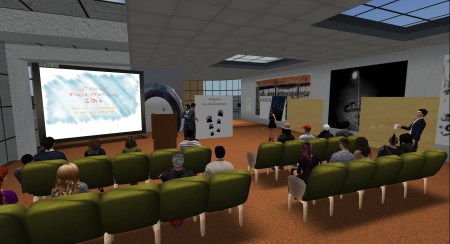
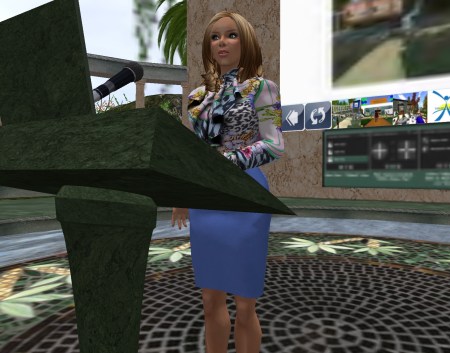
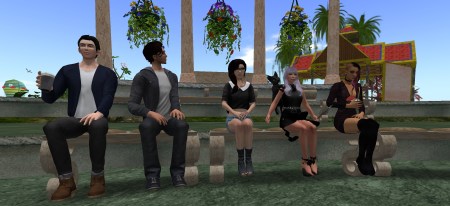
The final class presentations were made by all six groups of students and were impressive. Everything proceeded as planned without any technical issues arising and it was clear that each team had prepared and rehearsed sufficiently. Special guests Sitearm Madonna and Gentle Heron remarked favourably on the quality of the presentations and complimented the work. Two of the groups also provided YouTube videos for the record.

snapshot_004

The first group got the class off to a good start.

snapshot_012

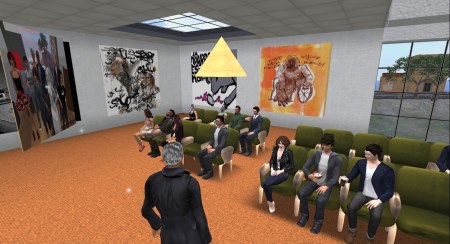
The class sat in rapt attention for each presentation.

snapshot_017

Each group made use of supporting visual material.

John concluded the class by thanking the participants for their attendance, attention, engagement and lively participation throughout the module.


h1

Class 11: Hashtags

December 8, 2016

We had short class meeting this week because everyone is engaged with end of semester assessments. There was a discussion around the use of social media in major events such as disaster relief and the Arab Spring. John and Locks were surprised to hear that none of the participants was aware of the Arab Spring so the example went down like a lead balloon! Locks provided a link to Wael Ghonim’s Ted Talk Let’s Design Social Media that Drives Real Change where he talks about touching off the Arab Spring in Egypt by setting up a Facebook page.

Everyone was familiar with the use of hashtags and one of you shared a link to We Declare a #HASHTAG War! which demonstrates the proliferation of hashtags in all forms of social media.

THINGS TO DO BEFORE THE NEXT CLASS:

Complete group project for presentation at next week’s class.

h1

Class 10: Building

December 1, 2016

This week John is in Florence at the ELIA Biennial Conference so he logged into SL from his hotel room. It seems the wifi signal was good enough to support voice, apart from some reported background hissing, so the class was able to proceed as usual.

John reminded everyone that the student feedback form Q6A should be completed online by everyone (many of you have already done so) and it is completely anonymous so you may be brutally honest!

The class tried their hands at building simple shapes in SL during class. Starting with basic cubes which we positioned on the balcony wall we stretched them into flat panels and then placed images on them. This will serve as a basic slide presentation screen for delivering your group projects in two weeks. Create your images in Photoshop (512 x 512 pixels) and save in jpg format. Upload the jpgs to SL from the menubar Build>Upload>Image. This will cost L$10 (contact John if you have spent all of your allowance!).

Video is not very reliable in SL so John recommended posting to YoTube and providing a link if you want to use moving images.

There will be six groups presenting on Thursday 15th December and no matter how well prepared we all are technical issues inevitably arise which leads to delays. So please aim to remain in class until 9.30 pm to give everybody enough time to present comfortably.

John closed with a reference to this week’s reading list. It addresses the use of social media in disaster relief and business and the power of hashtags. We will discuss the implications next week.

snapshot_001

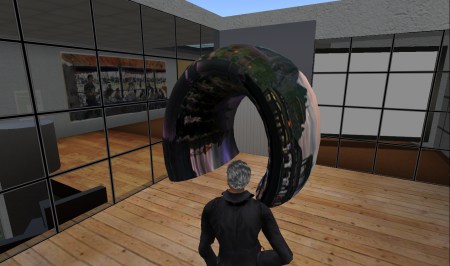
Poilination created an elegant archway into the classroom from the balcony.

THINGS TO DO BEFORE THE NEXT CLASS:

  1. Read: Technology’s Impact on Disaster Relief which talks about the use of Twitter, Google and other apps for coordination between relief teams.
  2. Look at: The History and Power of Hashtags in Social Media Marketing an infographic.
  3. Read: Five brilliant ways to use hashtags in social media marketing.
h1

Class 9: Project review

November 24, 2016
snapshot_002

Pints and cocktails in class…?

We started class this week by agreeing to reschedule the project presentations to Thursday 15th December – only three weeks away. John also suggested that seven minutes would be the ideal length.

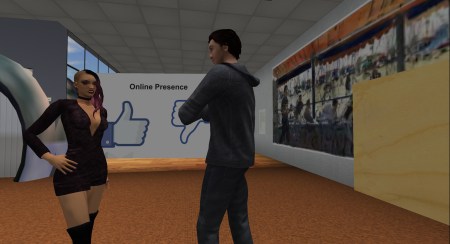
The class meeting then considered progress on the major project to date. All six groups have started researching the online presence of their colleagues to discover a range of profiles – some of you have considerable presence while others appear to have remained off the grid. This has been a deliberate choice in some cases. It will be interesting to see if any unexpected or surprising data emerges (but, remember to respect individual privacy and anonymise findings where appropriate).

For the next stage of development in the project ensure you consult the Reading and watching list in the brief and reference the content in your presentation. You should also try to find your own references and include them. This reading should inform and support your perspective.

John demonstrated how to construct a simple view screen for presenting your project. You will need to have the module group activated to allow you to build an object in the DIT space. It will be returned to your inventory after you log out so look for it in your ‘Lost and Found’ folder next time you log in.

THINGS TO DO BEFORE THE NEXT CLASS:

  1. Read: the project brief again… carefully… pay particular attention to the outcomes. Make sure you understand exactly what you are being asked to do.
  2. Read: the assessment criteria again. This will help clarify what you need to produce.
  3. Write the tenth post: to your blog describing your role in the team and how you have contributed to the project so far.
h1

Class 8: Content creation

November 17, 2016

John started this week by discussing the student blogs. He recommended that you have a look at each others blogs for reference. Compare them with your own blog for insights into how you could improve. You have until 8.00 pm next Thursday to bring your blog up to date before the week 8 assessment. One or two of you need to complete your bios in the ‘About’ section. In response to a question John did not recommend revising old posts but rather, put any effort into your future writing – this will give a better opportunity for improving your mark as it will demonstrate improvement and that you are learning. If any of you would like direct feedback on your progress speak to John after the class and we can discuss then or make any appropriate arrangement.

From now on your blog posts should report and reflect on the group project. Discuss how your team is functioning, how roles are filled, meetings are organised and conducted, decisions are made, work schedule agreed etc. Look at your own contribution in a critical light and describe what you discover about working in an online team: what makes it difficult and what supports it. Remember, you don’t need to use SL – any online tool or application that works for your team is good.

snapshot_003

Does this qualify as a diverse range of class participants…?

We went on to discuss the project in a little more detail after that. Some of you have been meeting in your teams while others are just getting started. Some of you have begun researching your own and your team mates digital footprints using Google searches. This is a good way into the project and should be a feature of each team’s approach. However, be sensitive to each other’s right to privacy and don’t go so far as to cause discomfort to your colleagues. This is a class project not a private investigation! Back away if it starts to become personally uncomfortable for anyone. The final presentation should describe your methodology (how you researched the project), a summary of what the team discovered about the members online presence, a reflection on your reaction (were you surprised by anything discovered?) and a possible scenario where the information could be exploited by others.

On a daily basis most of us are generating ‘content’ online and broadcasting it to the world. Whether anyone is interested in it, or even aware of it, is a different matter. Before the internet facilitated such easy access to broadcasting there were gatekeepers in the form of newspaper and book editors, financial controllers etc. This provided some form of quality control. Now, much of what is published on the web is worthless making the issue of ‘value’ more important.

THINGS TO DO BEFORE THE NEXT CLASS:

  1. Look up: the infographic Things that can and can’t be copyrighted.
  2. Read: this thoughtful blog post Content and licensing in virtual worlds about the legal issues around protecting ‘things’ you create in SL and online in general. Read the comments also.
  3. Write the ninth post: to your blog reflecting on the progress being made on the group project.
h1

Class 7: Communities and identity

November 10, 2016
blank-mask-e1327157800737-779x1024

Online identity versus ‘real’ identity.

This week we had a lively discussion that was informed by our visit to Virtual Ability Island in the previous class. The differences between real and virtual spaces became apparent when we considered the limitations of  Second Life. For example, avatars can have difficulty negotiating stairs, particularly spiral staircases, but this has not led to their replacement: experience of Real Life building has shaped our approach to building in virtual worlds for the same reason that early motor cars resembled horse-drawn carriages.

An understanding of what helps us to feel comfortable in a virtual space is very important in the development and support of online communities not just in SL but in general. The rules of engagement need to be clearly defined as do the conventions around acceptable behaviour. Regulations, conventions and etiquette help to define a community and support the feeling of belonging to a group and participating. Joining a community requires patience and a certain amount of commitment – while the rules may be published, conventions and etiquette are less clear. It take time to observe and learn them as you gradually become engaged.

This is also an important aspect of team building. Even in Real Life teams can be difficult to manage and tend to be successful when the social glue that holds them together is given attention. This is even more important for online teams that  meet only virtually. For success you must consider how to support social interaction before you get down to the ‘real work’.

Another important criteria for successful group work and team building is trust. This fundamental human condition can be delicate in Real Life so how much more so is it in virtual environments? Building an online identity is really a matter of building trust. The example of the Syrian lesbian blogger demonstrates how easy it can be to build a persona and how devastating it can be if it emerges that the persona does not match Real Life.

John gave some feedback on your blogs reminding everyone to ensure you are writing on the required topic. Generally, the descriptive writing is good and posts are well illustrated. Now it is time to become more reflective. Write about your own response to your learning, how you might apply it and where you are finding it difficult.

THINGS TO DO BEFORE THE NEXT CLASS:

  1. Write the eighth post: to your blog describing how your team has approached planning your project, dividing the work and addressing conflict.
  2. Lecture: watch From Prosumer to Produser: Understanding User-Led Content Creation by Prof Axel Bruns (Creative Industries Faculty at Queensland Institute of Technology) who explains his theory of user-led collaborative content creation.
h1

Class 6: Online communities

October 27, 2016
gentle-heron

Gentle Heron welcomes the class to Virtual Ability Island.

Gentle Heron hosted our visit to Virtual Ability Island this week. We gathered in the auditorium where she told us of the origin and development of the island. It was opened in 2007 to support a community enabling people with a wide range of disabilities to thrive in online virtual worlds like SL. Now, with a population of over 1,000 individuals from six continents (in Real Life) of varying abilities (not all are disabled) the community is vibrant and active. Although disability may be less apparent in SL where, for example avatars can walk even though their human counterparts may need a wheelchair, those with visual or hearing impairment require particular consideration.

The principles of universal design and access for all underpin the development of the environment so that colour schemes, landscaping, materials and access all promote integration – there is no segregation between the able and the disabled. You won’t find any stairs here, only ramps, colour schemes are soothing to promote calm stress-free engagement and support those with visual disability, while speech is accompanied by text in local chat so those with hearing impairment are not disadvantaged. The Virtual Ability website is worth a visit if you would like to read about the history and development.

students-at-vai

Some participants enjoying virtual refreshment during the visit to Virtual Ability Island.

Gentle spoke of the importance of community support in SL, in particular for people who may not be able to leave their homes in Real Life. Online communities may well provide their only means of socialising, getting informed, engaging with the wider world and influencing issues outside their immediate physical environment.

We then teleported to Cape Able to visit the art gallery. It hosts work by artists working in both RL and SL. We saw work by SL photographer Slatan Dryke. Next door is the virtual presence of the Fenimore Art Museum, Cooperstown, New York, with a Toulouse-Lautrec exhibition downstairs and pieces from its famed Masterpieces of American Indian Art upstairs.

imagine-magazine

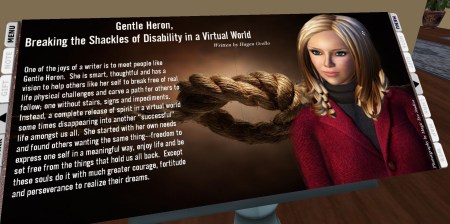
Imagine Magazine, an SL periodical, published a profile on Gentle Heron in the November 2010 edition.

The final location we visited was Cape Serenity which hosts a library and poetry garden. The library has a selection of fiction, non-fiction, poetry and drama that can be read directly in SL, or in the form of notecards, or provide links to free downloads and websites. It features publications by residents writing about their direct experiences of disability and engagement. The poetry garden was the highlight of the evening. A beautifully serene place with birdsong, a pond, rabbits and birds wandering through panels displaying poems.

THINGS TO DO BEFORE THE NEXT CLASS:

  1. Write the sixth post: to your blog discussing the importance of regulation, convention and etiquette in online communities.
  2. Write the seventh post: to your blog describing how you have contributed to the theme of your group’s project and describing the group meetings held so far.
  3. Read: Digital identity development is a process, by Eric Stoller.
  4. Read: Syrian lesbian blogger is revealed conclusively to be a married man in the Guardian newspaper 2011.

h1

Class 5: personal branding – presence online

October 20, 2016

Class began with a review of the student groups. Some of the groups have been unable to make contact with one of their members so John suggested that we would consider the groups again next week. By then the pattern of class attendance will have emerged and if some realignment of membership is required we can do it then.

Most of the class have now joined the Facebook group and everyone agreed that it is a very useful way to keep in touch with class issues because most of us access the app regularly throughout the day. John asked how the group members intend to communicate online and it appears that many of you will use Facebook messenger. In addition to the advantage of regular checking it is also accessible across may platforms – phone, pc, tablet etc. This gives it an advantage over WhatsApp, WeChat and other apps that are limited to the phone.

Only some of you had read the articles posted here last week so there was a limited discussion on how employers might interact with employees who have a very public social media presence. In the four years since the Wall Street Journal article was published the landscape has changed so much that it appeared quite dated. However, it did begin a discussion about the ubiquity of social media and how our real lives are becoming synonymous with our online profiles. We will return to this subject next week.

lauks-nest_002

Lauk’s Nest, one of the oldest parks in Second Life, was built in 2004 by Laukosargas Svarog.

The class finished with a visit to Lauk’s Nest, one of the oldest natural parks in SL. Symeon Siamendes greeted us by offering cocktails and a notecard giving the history of the park. It was created only two years after the launch of SL itself, in 2004 and, almost uniquely for the virtual world, it has been sold to different owners four times since then. Each has maintained the integrity of the original creation.

John commenced disbursement of L$300 to each participant and said he would ensure everyone received their payment before class next week.

THINGS TO DO BEFORE THE NEXT CLASS:

  1. Look at: the infographic Personal Branding: 10 Steps to a New Professional You.
  2. Explore: Humans of New York Facebook page and related social media see how Brandon Stanton has used social media to make an impact- an example being his use of instagram, facebook, twitter alongside the blog. Take note of how he has identified and positioned himself.
  3. Read: about the Heron Sanctuary which we will be visiting next week. Virtual Ability Inc. 
  4. Write the fifth post: to your blog about how you might convert your personal presence online into an identity for professional networking.