h1

Class 8: Presenting your Team Project

April 4, 2019

Again, attendance was disappointing this week. Apart from the first week, which had full attendance, we have had eight attending every week. However, last week only five came to class and this week only six. Both weeks two students gave their apologies. Nevertheless, such poor attendance means that class discussion is not as lively and engaging as it should be and, with only three more classes until the final presentation, it is a cause for concern.

John started by asking the class group if they would mind switching topics between this week and next week. Our guest lecturer is travelling today and therefore unavailable. All agreed so we will postpone the class theme ‘Walking away…?’ until next week. Some of you also admitted to not reading the short story yet so John urged you to ensure you have read it for next week.

We started the class by reviewing the visit to Virtual Ability Island last week. It gave you all a sense of the possibilities that virtual worlds can open up for some people and communities.

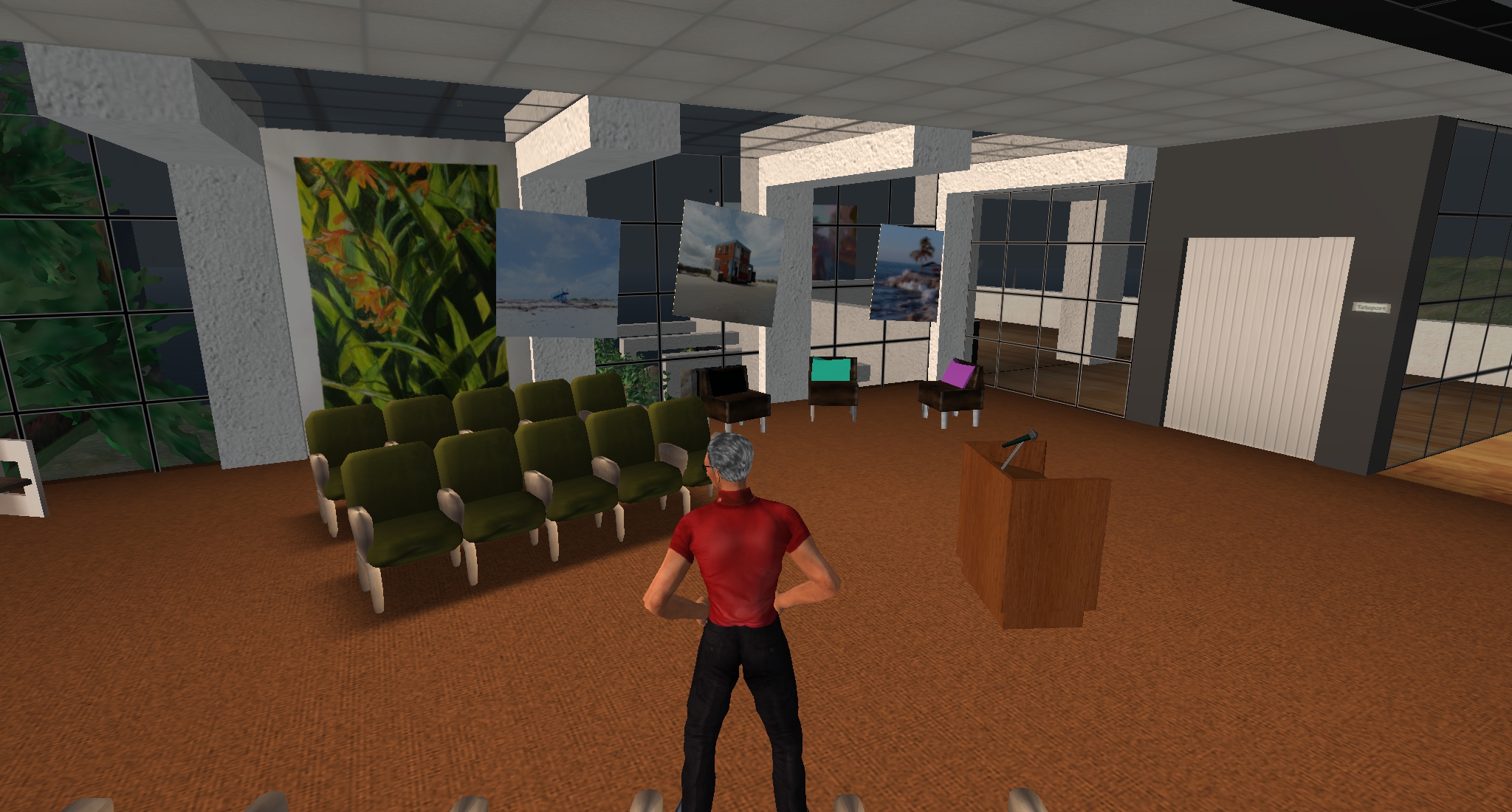
John asked for some feedback on the Team Project, in particular, how you were thinking of making the final presentation. Only members of the Blue and Yellow teams were present and most of you seem to be thinking in terms of video. It was not clear if the thinking is to use YouTube or steam directly into SL. John suggested reviewing options such as LinkedIn Slideshare, as was used by Sitearm Madonna in his presentation on teamwork and collaboration in class 3. You can also import images directly into SL and display them much as you would give a PowerPoint presentation IRL. John demonstrated how to make a simple ‘slide viewer’ using the ‘Build’ tool. It costs L$10 to import images to SL so John presented each of you with a budget of L$300 to use if you need to. The exchange rate is approximately L$270 to US$1 so your avatars have not become immediately rich!

Building in SL is normally reserved for premium residents (ie, those who pay a monthly subscription) however, there are lots of public sandboxes where anyone can build. Just remember to save your creation to your Inventory Folder so you can access it at a later time. You can also practice building in the classroom area – just be careful not to delete or change anything there! John reckons he has everything locked but remembers the day he accidentally deleted two of the walls and floor. So, do try out some building – there are links to support information in the reading set for Class 9 Presenting your Team Project.

You should also use some of your Linden dollars to explore the economy in SL. Go and visit some shops and see how the economy works. But, don’t spend everything you have – keep some for your project.

h1

Class 7: Online Communities and Relationships

March 28, 2019

Attendance was disappointing this week but we continued with our visit to Virtual Ability Island (VAI) nevertheless. We all teleported to the Cabana Classrooms where Gentle Heron, founder of the Virtual Ability community, introduced her colleagues Eme Capalini, Stepinwolf Darkstone and Carla Broek. Eme is Vice President of Development for Virtual Ability. SL gives her a creative work outlet and a place to make friends. She says that logging in is like coming home. Stepin has been in SL since 2007 and joined the group that eventually became Virtual Ability where he now manages a virtual apartment complex on a voluntary basis. Carla is from Belgium and just celebrated her 12th rez day (as SL birthdays are known). She was drawn to SL by the opportunity to explore creative work like photography and community. She has created her own world inspired by the English countryside where people can relax and enjoy the peace and quiet. Gentle explained that she had been an educational researcher before being medically retired by multiple sclerosis.
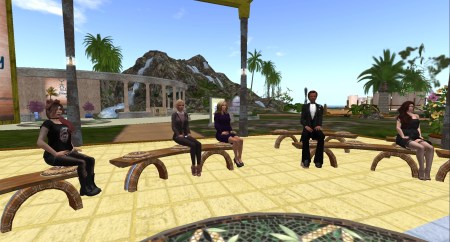
Student Rebekah Majesty with Eme Capalini, Gentle Heron, Stepinwolf Darkstone and Carla Broek at Virtual Ability.

Speaking and using text (as is the custom in VAI to support those who are deaf) she describes VAI as an international cross-disability peer support community with over 1,000 members. ‘Cross-disability’ means that members who have disabilities may have a physical, a mental or emotional or developmental disability, or a sensory disability. Many have multiple disabilities. The community offers peer-to-peer understanding, support and education because sometimes it is important to communicate with people who are most likely to understand the issues, concerns and point of view. But the community is not exclusively disabled. About one-quarter of the members do not (yet!) have disabilities. They are known as TABs, Temporarily Able Bodied. They may be a parent, spouse, child or friend of a person with a disability; a professional or non-professional caregiver; an academic researcher; medical professional or an educator. The community has been in Second Life for over 11 years – and won the first Linden Prize in 2009 for a project that had a tangible impact on the real world. It is also one of the original Community Gateways into SL, authorised by Linden Lab, so is recognised well beyond its own community.

VAI is supported by Virtual Ability Inc, a US nonprofit corporation. The community assists people with all kinds of of disabilities to enter and thrive in virtual worlds like SL. It also offers various education and entertainment activities daily, encouraging members to explore all that virtual worlds have available. On this island the community provides educational exhibits and displays, health information, information on research opportunities and details of over 120 disability peer support communities identified in SL so far. The community also hosts the Cape Able Art Gallery and Cape Serenity Library.

The population with disabilities is the largest minority in the world and is the most varied. VAI members are neither geographically proximate nor culturally similar. In fact they embrace diversity. This requires a group value of respect and accommodation. The other important value is an emphasis on Ability and not DISability.

The students joined the discussion with some interesting questions. Hummish opened by asking about protecting oneself from cyber bullying, online theft and so on. Gentle replied that there is little help from SL itself but the community provides help as it can by banning griefers. Carla told us that there is a reporting tool provided by Linden Lab but it is not a direct support. John told of the retired Miami Dade police officer who headed up security in Virtual Dublin and kept the community safe and peaceful.

Coldteosies asked about anonymity and whether virtual friends met IRL. Gentle said that people may retain as much anonymity as they wish. For instance she had met all three colleagues IRL and they were exactly the same as the people she knew from SL! Stepin added that he was glad to find that Gentle was very much Gentle IRL. John added that he had many many friends in SL, some of whom he eventually met IRL and some not.

Aestheticant asked if people who are differently abled need extra digital protections, within the broader sense of digital citizenship. Gentle explained that while VAI did not have a constitution it has an informal set of principles that are enforced, along with the SL Terms of Service. Stepin added that on Cape Heron they have a covenant and a Rental Agreement which spell out a lot of expectations.

This led on to some interesting observations about how we might identify with our avatars (which also emerged during Class 6 last week) and how that can affect behaviour. Some of us have avatars that look like ourselves IRL but Rebakah said hers doesn’t look anything like her. Gentle suggested that the sense of embodiment takes a while to develop and explained the concept of mirror neurons – the same parts of your brain fire when you see an avatar doing something as if you were doing with your physical body. We also learned that some people on the autism spectrum find SL a comfortable place to meet others because they can retain control of their interactions. Some of them don’t use human avatars but use, furry animals, fruit, or even a simple metal sphere.

Eme shared some links to VAI’s projects:

Gentle offered explanatory notecards to us, giving more details about VAI and the community and invited everyone to visit again anytime we wished. John thanked Gentle, Eme, Stepin and Carla for hosting us and being so generous with their time, knowledge and experience.

h1

Class 6: My Avatar and Me – virtual identities

March 21, 2019

We were joined by Locks Aichi for class this week but, due to the vagaries of online environments, she was unable to materialise her avatar in SL so engaged remotely. Locks could hear us but was unable to move her avatar or communicate through text or voice. Instead she sent WhatsApp text to John who shared with the class.

We all teleported to a location that was large enough for you to break into your teams far enough apart to have a voice discussion without disturbing each other. However, it seems you mostly used text again! continuing to be somewhat reluctant to use voice. Each team was asked consider the question: ‘what is the basis for your visual identity?’ and come up with two key considerations – to be posted to a scrumblr board.

Scrumblr board recording team responses.

We then teleported back to the classroom to share our thoughts. John opened by suggesting that some consideration of what ‘self’ means is an important starting point when considering our personal identity. Chalmers talks about consciousness – a prerequisite for the idea of ‘self’ and Dennett posits a particular theory about the nature of ‘self’ being somewhat fluid to say the least. (Some of you hadn’t viewed the video material so it would be useful to do so now to get an insight into this thinking.)

Using the examples of our avatars John suggested that virtual identity gives us the opportunity to explore how we might present ourselves to others. His own avatar, Acuppa Tae, was originally designed to look as close to him IRL as possible because he felt it was appropriate in his role as a teacher. However, that requires the avatar to be updated as time passes! Sitearm Madonna’s decision to use a female avatar emerged from a desire to acknowledge his mother’s role in his development. Locks said that she chose to be a guy to be different from her RL self; not really because of how she wanted to be perceived but more to see if she would behave differently when aligned with a male avatar. She considers her avatar as a suit of clothes rather than an identity. Experimenting with your virtual self allows for fun to explore – just like dressing up. It poses the question that identity may be something transferable bringing to mind the movie Get Out.

We discussed the issues you noted on the pin board and attempted to identify the shift in thinking from consciousness of the self to the development of an identity and on to the promotion of a personal brand. The notion of authenticity began to emerge as we came to the end of the class and this would be an interesting point to pick up in your own blog posts. What influences our choice of avatar and how we present in SL? How do we identify with our avatars? What identity are we attempting to present in our website blogs?

h1

Class 5: From Hammer to Pixel

March 14, 2019

Since our last class the first assessment has been completed and feedback posted to Brightspace for everyone who submitted. John reminded you to read both elements of the feedback carefully: your level for each criterion on the rubric and the general comment. If anyone would like individual feedback a tutorial can be arranged in SL.

We then had an interesting discussion on the value of Marshall McLuhan’s thinking for today’s society. John encouraged you to use voice rather than text so that you start getting some experience of speaking virtually. This is good practice for delivering the presentation of the Team Project and also allows for a quicker response and more dynamic interaction. However, it emerged that not everyone was in a position to use voice. Some of you were in a cafe, another didn’t have a functioning mic and others just didn’t want to! So we proceeded with a combination of talk and text.

The discussion began by considering the impact of different media on society. The shift from an oral to written culture, McLuhan suggested, had a very particular impact on people that was only beginning to be recognised in his era. He was interested in the impact resulting from the change to a visual culture. He argued that literacy as a form of awareness is objective. It supports the ability to stand back and observe situations objectively. The, at that time, new medium of television was introducing a visual awareness, one that is subjective, because it is so involving.

We tried to review the impact that the last 40 or so years of television has had on society, particularly in light of the emergence of the web and access-on-demand. This change from a mass medium that saw audiences numbered in the millions consuming the same programme at the same time to asynchronous viewing must surely impact on our awareness. The emergence of the ‘echo-chamber’ effect, where social media insulates us in a bubble of our peers seems to have made society vulnerable to detrimental manipulation as seen in the election of Trump and the result of the Brexit referendum.

We noticed how difficult it can be not to end up making value judgements and the impossibility of predicting how individuals and society will react. Referring to McLuhan’s concern that 20th century man was shuffling towards the 21st century in the shackles of the 19th century, we concluded that awareness is a key ability we need to nurture. By attempting to remain aware of the impact that technology is having on us we can at least minimise a blinkered descent into the unknown.

h1

Team Project – Future Work

March 3, 2019

This photograph was taken from lunar orbit by astronaut Bill Anders in 1968, during the Apollo 8 mission. Nature photographer Galen Rowell declared it “the most influential environmental photograph ever taken”.

The World Economic Forum report on The Future of Jobs 2018 provides a comprehensive analysis of trends on an industry-specific and country-specific basis. In the section on Strategic Drivers of New Business Models it concludes that the unfolding of the Fourth Industrial Revolution is resulting in a variety of new and emerging jobs while the more traditional job roles are declining. But, there is some good news for you as the Economist reported in 2016 that people working in creative fields are less susceptible to automation in Automation and Anxiety.

Taking a more holistic perspective raises deeper concerns for the future of not just work, but the entire ecosystem of society. French philosopher Bernard Stiegler suggests that the world is heading rapidly towards a dead end thanks to the consumerist model. Speaking in London in 2018 he argued that a radically new approach to shaping our society is required. Rather than allowing capital and technology to dictate we need to bring epistemological, technological, artistic, judicial, social and economic questions together in order to shape the future.

In 1992 the Union of Concerned Scientists issued a Warning to Humanity suggesting that vast human misery would ensue if we did not change how we are impacting the planet. They ‘feared that humanity was pushing Earth’s ecosystems beyond their capacities to support the web of life.’ Last year the warning was updated when 15,000 scientists from around the world published World Scientists’ Warning to Humanity: A Second Notice.

This is a real challenge to you, individually and collectively, as you consider your emergence into society from college. For this project you are asked to consider how you might address the problems facing society while earning a living and living your lives. Do you accept the premise of the World Scientists? Can you see ways in which it is possible to work for a more sustainable engagement with our planet?

You will work on this project in your groups to present your findings in an entertaining, informative and lively manner using whatever medium and format you wish as long as it can be stored for later review (e.g. a talk, short film, narration+visuals). Each team will also present its project live in Second Life. The presentation should be no shorter than five minutes and no longer than ten minutes. You are encouraged to use visual, audio or any other aids to support the presentation during which each member of the team must take part.

Each participant must also describe the progress of the project in a weekly blog post with particular emphasis on your own contribution to the project. (What are you bringing to the group and how does it fit into the team’s work?) Discuss the details of the project and also the issues that arise in working collaboratively online. How easy is it meet up virtually and plan the project? What difficulties arise in development? How easy or difficult is communication? What particular problems arise and how do you deal with them? Focus on the experience rather than writing a ‘correct’ post or having an answer for every difficulty.

For full details on the Team Project specifications and the assessment criteria see the Assessment Unit in the Brightspace VLE.

Important note: If you use images or sound be mindful of copyright, particularly as presentations will be posted to the module blog.

Presentations should be no less than 5 minutes and no more than 10 minutes in duration.

Your presentation can be made in the TU Dublin campus or any appropriate venue in Second Life selected by the group. Presentations will be delivered in the last class at the end of the semester.

h1

Class 4: Team Project – Future Work

February 28, 2019

John started the class by reminding you all of the deadline for your first assessment item next week. It must be submitted in Brightspace before 5.00 pm next Thursday, 7th March. But, don’t wait until the last moment – get your submission in early. It’s easy: just provide the link to your blog. Full details are given in the ‘Assessment’ section of the module in Brightspace. Remember, you must make the submission in Brightspace so that it is registered and John can provide feedback.

The University is carrying out a survey of staff and students using Brightspace for this pilot phase. Please take this Brightspace Mid-Pilot Review (Students). Your feedback is important so that improvements can be made before the full rollout in September.

It is important that you login to Brightspace regularly during the course of the week. The Essential Reading given for each class is a necessary preparation for our meetings but also provides background material to the subject of your blog posts. You need to be reading and viewing it so that you can cite appropriate examples in your writing. Take the short Quizzes to check if you understand the content. Although they don’t count for assessment purposes they are a useful way of identifying content you might not have fully understood. If you have any suggestions for improving the content please let me know.

Then we turned to the Team Project. In response to John’s query about whether you had arranged team meetings it seems that some have met and some have not yet met. It is important that you start meeting this week. You will remember from Sitearm’s talk last week that teams need time to form. So start working together from now on – visit SL, work on your class assignments, and begin thinking about the project. Give yourselves as much time together as you can to get to know each other.

There is a lot of detail in the brief and plenty of reading to guide your thinking and help develop your approach to the project. Use the time you have without classes next week to get started and become familiar with the material. Another important guide you should review carefully is the assessment rubric for the project. That gives you the criteria on which you will be assessed. There is no point in being busy on work that is not relevant so study the criteria for guidance on how to proceed.

Here is a short (viewing time is less than two minutes) extract from the class discussion:

h1

Class 3: Teamwork and Collaboration

February 21, 2019

Guest speaker Sitearm Madonna talks about partnership team building.

We were joined by guest speaker Sitearm Madonna this evening. Sitearm is a graduate of the module, a former engineer in the US oil industry, expediter of projects in virtual worlds and musician, with extensive experience of team work. He spoke to the slides that will remain in the classroom for the rest of the semester. We were also joined by Dudley Dreamscape, another graduate of the module, professor at the University of Akron and guest speaker in a later class. John noted that both Sitearm and Dudley had performed so well on the module that they scored the highest marks ever awarded.

Sitearm started by asking us all to think of a time when we felt good about working on a team and to write down one word that would remind us of the experience later in the class. We were also asked to repeat the exercise for a time we had negative memories of a team. He emphasised that teams generally get projects completed, no matter how badly they perform. The aim is to continually strive to achieve better outcomes by supporting team development. This starts by building commitment and competence. Team members need time to get to know one another informally, in addition to the formal engagement, so they can perform effectively together.

Best practice for building teams that produce results.

Recognising the stages of team development is essential for managing time and ensuring that all members can contribute meaningfully. Each stage requires a different type of input and engagement. For example, when the team is in the ‘forming’ stage members may need to spend more time working together to develop cohesion whereas the ‘performing’ stage might require each member to complete their own contribution independently. Sitearm also described the practices of team work: brainstorming, deciding, briefing, and debriefing – explaining when and how to activate each one. Throughout all of this team members will constantly play different roles. When decisions need to be made it is important to have someone in the role of ‘coordinator’ or ‘shaper’ whereas ‘specialists’ and ‘team workers’ are essential to putting the project into production.

Partnership team building model.

Sitearm concluded by showing us his newly developed Partnership Team Building Model. It demonstrates the work a team needs to do in order to reach the goal of generating an outcome.

Following his presentation Sitearm asked for contributions based on his questions at the beginning of class. There were many good examples given such as Aestheicant’s experience of a team that worked well because everyone felt able to amend and improve on ideas; EvaKKCara’s satisfaction when a committed and hard-working team gained a tangible outcome at the end of the process; hummush’s comment that all members helped each other on different aspects of the project brief so all felt very well informed on the aim of the project; and JCraig1988’s discovery that his opinions and ideas tended to broaden out the more he worked on a team. Equally enlightening were the examples of negative team experiences: Alik98 recalled the embarrassment resulting when the lack of communication among team members led to a disjointed and terrible presentation; robadamson was dumbfounded when team members that didn’t show up for any meetings were shocked when they received no credit for the final piece of work; YuwenXing remembered the huge amount of additional unnecessary work that resulted from an unclear division of tasks. Everyone shared experiences and examples that demonstrated the importance of preparing appropriately for team projects and continually monitoring the health of the team.

John thanked Sitearm for a very interesting and informative talk and complemented the students on your engagement with insightful examples and reflective responses. Sitearm provided this link to the slides he used for the talk. Here is an edited version of Sitearm’s talk:

Many of you hadn’t picked up on the Project Teams announced on Brightspace this week so here are the details again. Please make contact with each other and read the preparatory material for next week’s class where we will consider the brief for the Team Project.

Project Teams.

h1

Class 2: Blogging to the world

February 14, 2019

This week’s class started with John asking if anyone had visited SL since the last class to complete the assignment. Everyone said they had done so. Then you were reminded that you should send a link to your blog to John. Remember that the first assessment takes place after Class 4 and counts for 20% of your final mark so it is worth getting your posts written on a weekly basis.

We continued by talking about writing to your blog. John explained that regular posting will help your confidence in writing and at the conclusion of the module you should have experience of writing in an accountable manner. We discussed the different voices available: descriptive, narrative, reflective, critical and analytical; along with the importance of references and citing from the module reading lists. Finally, the importance of proof-reading before publishing was emphasised.

Then John asked if some of you would present your bios (About me pages from your blogs) just to get some experience expressing yourselves with voice in SL. Aestheticant volunteered and after sharing a considered bio told us she would be updating it for next week. Nobody else had a bio prepared so it was agreed that you would be ready for next week.

After that we all left the classroom and moved out to the garden to talk about the practicalities of work in on online environment. You agreed that while avatars gave some animation and life to our engagement they fall far short of providing the kind of cues we are used to in Real Life. The ability to read body language is completely missing, as is the subtlety of mood changes and loss of attention. Therefore it is very important to make up for this by presenting cues explicitly. The use of emojis and emoticons arose in response to this realisation. In SL we have already seen that giving regular feedback is necessary. The point to remember is that any virtual space is much less conducive to accurate communication than Real Life so we need to make a conscious effort to address the shortcoming. Each environment will have its own conventions and etiquette and we need to be aware of the importance of learning these and abiding by them.

h1

Class 1: Welcome to SL

February 8, 2019

A new year, a new university and a new class group.

Everyone gathered promptly at 8:00 pm in TU Dublin’s SL campus for the first class of 2019. All students were set up with their shiny new avatars, voices activated and ready to learn – a really great start to the module!

We started off by making friends with each other. This enables us to see if class members are online in SL and to communicate by text when someone is in a different location in SL. John also invited you to join the module group so you are registered as module participants. This will allow you to access the classroom building and also supports notifications and other group communication. John also confirmed everyone’s SL name and matched it to your Real Life (RL) name and student number.

Then we all trooped out to the balcony to stretch our legs (well, our avatars’ legs) and took the class photo. This demonstrated that you all have a high level of avatar dexterity – you would be surprised how difficult it can be to get avatars to post for a photo!

When we settled back into class John talked about the format of the module. Class time is for discussion and, to prepare for that, you will need to read the assigned texts (or view the videos) in advance. This will ensure the discussion is informed and reflective. You will also need to plan for visiting SL between classes to complete the assignments and, after class 4, work on the Team Project.

While we didn’t discuss online etiquette explicitly you were all very good at giving confirmation of your presence, for instance, typing ‘Y’ when asked if you understood what was being said. Avatars do not do body language very well so positive reinforcement is something you need to be aware of constantly. One of the easiest and most immediate ways of providing feedback is through text messages in ‘local chat’. For example, you can type ‘Acuppa Tae nods in agreement’ or ‘coldtoesies has a puzzled look on her face’. This approach supports the discursive nature of the class and ensures everyone remains engaged.

The new Virtual Learning Environment at TU Dublin, Brightspace, is being piloted for this module so John asked for feedback on how it is working – feel free to be as critical as you need to be. Review the section for the next class well in advance to familiarise yourself with the content. Use the short quizzes to check if you understand the topic and don’t forget to do the assignments set after each class meeting.

Finally, John reminded you that while these class summaries are useful they do not replace class attendance!

h1

Spring semester 2019

January 31, 2019

Welcome to the module ‘Virtual Environments: Is one life enough?’ being offered as an elective module to students of the Dublin School of Creative Arts.

The first class meeting will be on Thursday 7th September at 8:00 pm. We meet online every week at TU Dublin in Second Life. Please note: you will need a Mac or PC desktop or laptop to access SL – you cannot do so with a mobile device. If you are new to Second Life, known as SL, then start by reading Getting into Second Life to find out how to access the class. You should then visit SL and find the TU Dublin campus, learn how to get around the virtual world and familiarise yourself with the environment and how to control your avatar. This will take a few hours so give yourself plenty of time before class starts.

Please read pages 1 to 9 in the column on the right also. If you would like to find out more about what to expect during the semester read the posts in this blog: all class since 2009 have been summarised.

If you have any problems email John O’Connor.