Author Archive

h1

Class 2: Project teams

February 21, 2014

CLASS SUMMARY:

The class started with each student presenting an ‘elevator pitch’ that essentially consisted of a brief introduction to themselves, their area of study, and particular interest in this module.

This was followed by a presentation on team working skills by guest tutor and module graduate Sitearm Madonna.  The slides for this presentation can be viewed here: http://www.slideshare.net/sitearm/virtual-collaboration-tips-and-tools

The participants were then divided into three groups and the module project was introduced and discussed. Full details and the project specifications are given on page 6 Module Assessment. The theme for the project is: ‘Reality’. There is a growing tension between what is considered reality by different generations and groups in society. We know it is possible to live predominantly in a virtual medium and this trend is likely to continue and be more easily afforded with ongoing technological advances. Each participant is asked to explore what makes up reality to themselves and, in particular, how any virtual lives and online engagements are integrated into their daily reality.

The three groups decamped across Akron Island to allow the members to get to know each other, discuss how they might proceed as a group, arrange communication channels and meeting times.

The teams are:

  1. ania, Daniel, Sam, Michael, Knitsy, and Mitch Madness
  2. Seranox1, Irale, Leela, Mandana, and Twinkle Toes
  3. Q, Benisgreat, Knightt, Lewis, Andrew, and Garrett

Please note: There are at least two other Akron students who cannot make it to our Thursday meetings. They are not on a team yet, but if you can coordinate other times to meet with them and other ways to communicate, please recruit them to your team.  They are: Lindsay and SteveSykes (you can search for them and find them in SL).

ACTIVITIES FOR NEXT CLASS:

  1. Explore: Get to know your group members and explore SL with your group. You are to visit at least 3 locations that are new to you. Find them in search, or ask other residents for recommendations or select them at random.
  2. Discuss: ideas for your project with your group how you are going to develop the project.
  3. Write: the second post on your blog reviewing the locations you visited. Explain how and why you chose them and what relevance they might have for your group.
  4. Read: Personal Branding Basics for 2011 (accessed on 02/21/14) by Chris Brogan, expert in online community, social media, and related technologies.

There is plenty of interesting writing about Second Life and virtual worlds across the web in online publications such as Virtual Worlds Magazine. Seek them out and try to discover others for yourself.

Virtual Anthropology and the Prometheus Myth (accessed on 02/21/14) by Salahzar Stenvaag in Virtual Worlds Magazine

Forget Playing Games. Meet the Man who wants to Empower you to Make Games (accessed on 02/21/14) by Stephen Totilo in kotaku.com

Your Second Life is Ready (accessed on 02/21/14) is an interesting, and still relevant, introduction to Second Life from Popular Science in 2005.
h1

Class 1: Dublin meets Akron

February 14, 2014

CLASS SUMMARY:

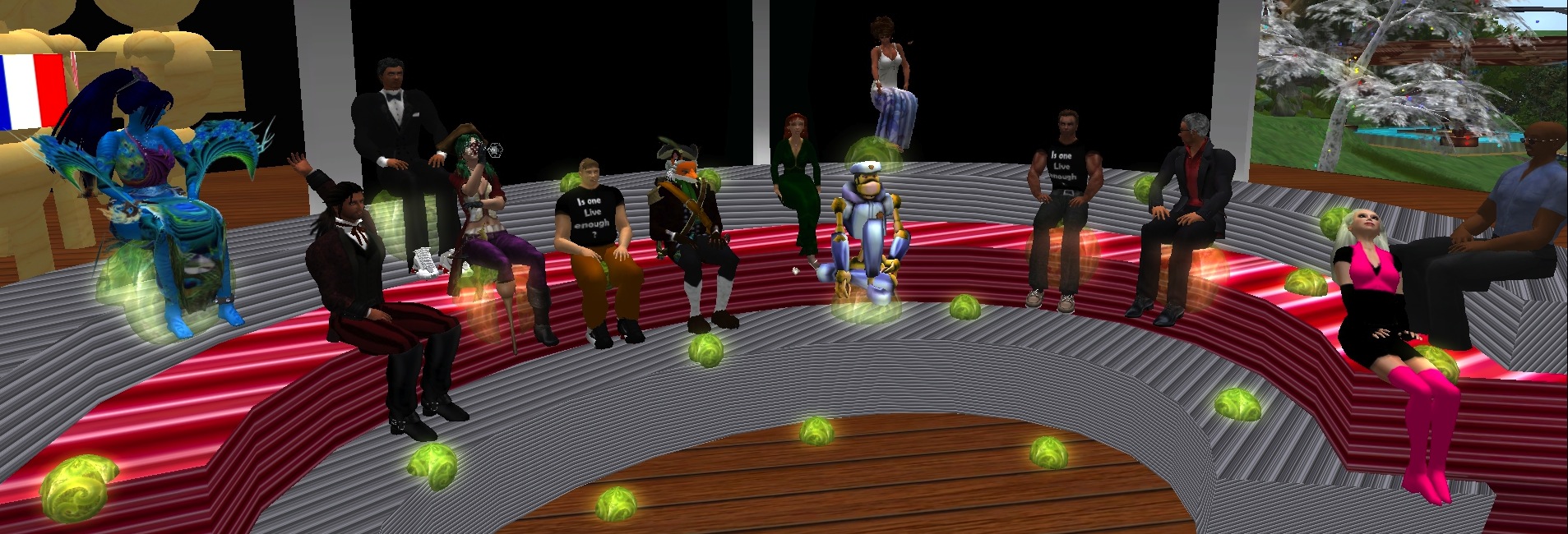
This first class for the Dublin participants was held in Akron Island, virtual home of the University of Akron. We will probably meet there for our next class meeting, too. The Akron students have been meeting here for the last three weeks. After we all introduced ourselves Dudley, John and Locks spoke about the module in general and gave some details of what to expect over the next weeks. It was also agreed to change the time of the class meeting to 8.30–9.30 pm.

  1. The format of the class is interactive discussion, based on reading material provided prior to the class. You need to have read the material posted in advance (or else next class will be longer to allow for catch-up).
  2. You will need to spend time in SL outside the normal class time to complete tasks and activities.
  3. Check this blog regularly for updates on the module. Information will also be posted to Twittter using the hashtag #iole14. When you post to Twitter don’t forget to include this hashtag.
  4. After each class you will be given a topic to write about in your blog. It is important to keep your blog up to date as this will ensure you don’t have an excessive amount of work to do at the end of the module. The blogs will be graded using the rubrics found here.
  5. Academic writing standards must be adhered to always.
  6. Every week, visit a new location in SL and refer to it in your blogpost.

Academic writing

Part of the methodology for this module is to use writing as a mechanism for learning and as a goal in itself. We hope that by the end of this module you are confident in writing as well as being familiar with conventions around accountable writing. the following points were addressed:

  • Forms of writing to use include: Narrative, Descriptive, Reflective, Critical.
  • Sourcing reliable information is essential: where to find it, deciding what it okay to use (judging sources)
  • Correct referencing is essential. We use the Chicago style (see link below).
  • Writing to topic – don’t go off the point. Use headings as anchors.

References

DIT’s Study & IT Skills Survival Guide for Academic Writing
Purdue Online Writing Lab page on Academic Writing

Here is a guide to the Chicago referencing style

ACTIVITIES FOR NEXT CLASS:

  1. Set up your blog: using bloggerwordpress or any other blog site. Complete the ‘About Me’ page (read some of those pages on other blogs first) and remember it is different from the first post on your blog. Write from the perspective of your avatar: the persona you will be using to explore in this module.  Post a link to your blog in your SL and twitter profiles. 
  2. Write the first post: to your blog about your expectations for this module – what you hope to get out of it, what you think you might contribute, etc. Address the relevance of  module objectives from your perspective, ie, justify why you think they are important to you, all the while applying the conventions of academic writing given in the class.
  3. Look at: John O’Connor’s blog and Dreamscape Diary bearing in mind what you learned today compare your own blog writing to this.
  4. Visit the following:
    Deviant Art
    Dolce Merda
    Yumiko Froehlich
    Illustration Friday
    Joanna Kafka
    Style Pantry
    Think about how you would identify these blog authors…what impression do you get of the person behind the blog?
  5. Set up: your twitter account in your avatar’s name. When posting to twitter don’t forget to use the hashtag #iole14.
  6. Read: The First Steps to Building Your Personal Brand
  7. Do: Based on your ‘About Me’ blog page prepare a 30-second ‘elevator pitch’ about yourself and the identity you want to portray online for the next class. Think about yourself (your avatar). Who are you? What is your online identity? (who you are and what you are about).
h1

First class of new Module is on Thursday 13th February 2014

February 3, 2014

The module will commence on Thursday 13th February with participants from the School of Art, Design & Printing at DIT through the Optional Module Programme for Fine Art, Design, Visual and Critical Studies and also from other parts of the Real World and Second Life through Dublin Virtually Live, and from Akron University Ohio. If you are not a registered DIT student and would like to take the module please email sitearm(at)gmail(dot)com for application details.

DIT students must send the following details to acuppatae(at)gmail(dot)com

  1. your real name
  2. your avatar’s name in Second Life
  3. your programme title, code and year
  4. your email address
  5. your student number

New participants should read through this blog to get a sense of what the module offers and, in particular, read page 8 (see column to the right) titled ‘Getting into Second Life’ to make sure your pc/mac is up to spec. You will also find details on joining Second Life, which you must do before the first class.

All participants must also friend Acuppa Tae and Locks Aichi in Second Life saying that you intend taking the module.

The class will meet in Dublin Virtually Live at 8.00 pm Irish Time (12 noon SL Time) on Thursday 13th February.

If you are new to Second Life it is a good idea to explore the environment before the module starts. You should be familiar with moving your avatar around, interacting with others and be able to use voice inworld. You will not receive technical tuition on Second Life during class time – it is up to each participant to learn how to live, act and behave in the environment in advance.

This year the module is being delivered in partnership with a class in University of Akron in Ohio. Dudley Dreamscape is teaching a similar module in Second Life and we agreed it would be interesting to run the classes together and give participants an opportunity to work on the major project in cooperation. Here are some helpful tips from Dudley for those new to Second Life”

  • Start SL 1” or “Start SL 2” – both show how to get your account started;
  • SL First Time In” – tells how to get into SL itself and what to expect your first time in SL;
  • TP to Welcome” – shows you how to get off the initial orientation island and continuing your adventures in SL

After these first steps, I have some other suggestions to help you know how to find other people and places and some useful tips:

  • Finding Dreamscape” – explains how to find a person and find Akron Island (or any place)
  • Preferences” – shows what preferences should be set for you
  • Get Organized” – shows how to organize your screen and your inventory for easier use
  • Outfits” – illustrates now to make an outfit or complete character for quick changes
  • Display Name” – shows how to change your display name (what you want people to call you in SL)
  • SL Profile Bio” – shows how to put basic information in your profile in SL
  • SL Profile Privacy” – lets you  know how you can adjust some privacy settings in your profile
  • Group Info” – explains what information you can get and see about the groups you are in
  • Group Tags” – shows how to “activate” a group, show your group title, and use the group benefits
  • Names” – lets you know how you can see other’s names or get them out of the way

Acuppa Tae, Locks Aichi and Dudley Dreamscape look forward to meeting you!

h1

Class 11: Project presentations

May 3, 2013

CLASS SUMMARY:

Well done to both groups who presented projects. The quality of the content was excellent and impressed the panel of judges. Each presentation was coherent, interesting, well researched and referenced. In addition, the presentations were well planned, built and delivered. One aspect the particularly impressed the judges was how well the participants dealt with some of the technical problems that (inevitably) arose. Well done!

Snapshot_001

h1

Class 10: Project progress

April 26, 2013

This class was devoted to reviewing progress on the group project.

h1

Class 9: Discussion

April 19, 2013

CLASS SUMMARY:

We read about Paris Brown the 17-year-old girl who was forced to resign from her post as Britain’s first youth police commissioner with the emergence of embarrassing tweets she posted a few years previously. The article underpinned a discussion about the importance of managing your online profile rather than allowing it to develop in an ad hoc manner that could be problematic later. Issues that were surfaced included the use of multiple profiles or identities, the value of joining social media spaces versus the ‘cost’, terms of use, and the future of online engagement. Poker players suggest that if you cannot tell the sucker during a game then it is yourself – we have often suggest in this module that if you are not paying for a service then you are the product. The lesson is to be aware of how social media and online engagement works and try to make informed decisions about membership of any group.

h1

Class 8: Project progress

April 11, 2013

CLASS SUMMARY:

The session was devoted to reviewing the progress on the group project.

h1

Class 7: Making the project work

March 21, 2013

CLASS SUMMARY:

Two graduates of this module from the previous semester returned to share their wisdom and experiences with the class. Dudley Dreamscape and Inish Karu spoke about the group project: how to manage group dynamics, determine each member’s skill set, share the workload, monitor progress and deliver the killer presentation. They also discussed ways of promoting the event and ensuring there is an audience on the night.

h1

Class 5: Content creation, part one

March 8, 2013

CLASS SUMMARY:

The class discussion started by talking about Axel Bruns’ concept of the Consumer – Prosumer – Produser as outlined in his online lecture given as reading material last week. We considered what constitutes online content – from text to image – and how it is generated. Sharing content, making it widely available and generating an income from it raised the question of professional versus amateur content creators and this led to considering the nature of ‘value’. What value might our content have? and how can we determine that value?

The fair use of our content by others prompted an example from Locks about the student who discovered a photo of herself she had posted on Facebook was used by Tesco on a line of child’s shirts without her knowledge. Copyright and Intellectual Property (IP) issues were touched on as means of protecting content but the difficulty and cost of enforcement were recognised as issues.

We discussed the project work and asked that a brief progress report be given next week.

ACTIVITIES FOR NEXT WEEK:

  1. Read: the journal article User-Generated Content & Virtual Worlds by Greg Lastowka. Written in 2008 it nevertheless identifies some key legal issues for those creating content in online virtual worlds.
  2. Read: this thoughtful blog post about the legal issues around protecting ‘things’ you create in SL. Read the comments also. Content and Licensing in Virtual Worlds.
  3. Write: the fifth post to your blog on content creation.
h1

Class 3: Personal branding

February 22, 2013

CLASS SUMMARY:

The class discussed ideas around personal branding and referred back to the reading given in the first class. We started by looking at the About Me pages of your blogs and Elevator Pitches made last week. Issues around what your avatar looks like, how you behave online, how others might interpret your behaviour and privacy were raised. We talked about using your real identity and/or a nom en ligne (term for online name coined by Sitearm Madonna and related to nome de plume and nom de guerre) in the context of Second Life, Facebook, Twitter, LinkedIn and blogging.

The appropriate use of LinkedIn versus Facebook raised the distinction between a personal and professional presence online and the difference between commercial branding and personal branding. The importance of being in control of your identity emerged as did the consequences of being available on free spaces such as Facebook where you are the product.

We touched on using these tools for engaging socially and networking.

ACTIVITIES FOR NEXT CLASS:

  1. Go: outside your established community/group (eg, this class group) in SL and make contact with at least two people relevant to your interests (artist, gallery owner, shop selling art, etc).
  2. Decide: among your group what tools you will use for planning your project.
  3. Write the third: post on your blog explaining your choice of communication tools and reflect on how the group arrived at the decision.