
Class 1: Welcome to Second Life
February 10, 2025
This semester we are delighted to be joined by Prof Lia Pop from the Technical University of Cluj-Napoca in Romania – a member of the European University of Technology (EUt+) alliance with TU Dublin – and her students. We all met for an introduction to Second Life at the TU Dublin campus in Second Life (SL) where we friended each other, joined the TU Dublin group and spoke about the timetable for the semester. The importance of attending all the scheduled classes was emphasised. This is particularly necessary for the Student Challenge, which includes tuition on building in SL, an essential skill for completing the project. Also joining the class meeting was Dr Lucia Morales of TU Dublin and her PhD students TallNinja.
We explored the use of voice, Nearby Chat and Instant Messaging (IM) in SL, learning that IMs facilitate contact with anyone anywhere in SL. This can be very useful if you get lost or can’t find your way to where the class is meeting: just send an IM to a class mate or lecturer asking for a teleport (TP). This will enable you to go directly to the location. IMs are private and can be seen only by those who receive them. It is possible also to invite others to join an IM so that you can set up a private chat for your team or group. Saving a landmark (LM) so that you can TP there at a later time was then demonstrated and you were advised to save the TU Dublin campus as your ‘home’ landmark, making it easy to return there whenever you need to. The we practised teleporting away and back again.
Voice can be tempermental in SL, sometimes it can take a few moments before activating after logging on. There are a few things you can do to remedy this. First, try toggling the voice button on and off. If this doens’t fix it you might try logging out of SL and logging back in again. Always check your preferences to ensure you have voice enabled and the appropriate device is selected (eg, if you are using headphones they might have to be specifically selected from the dropdown menu in preferences). You must have voice activated even if you do not intend speaking in SL because if not, you will not be able to hear others speaking.
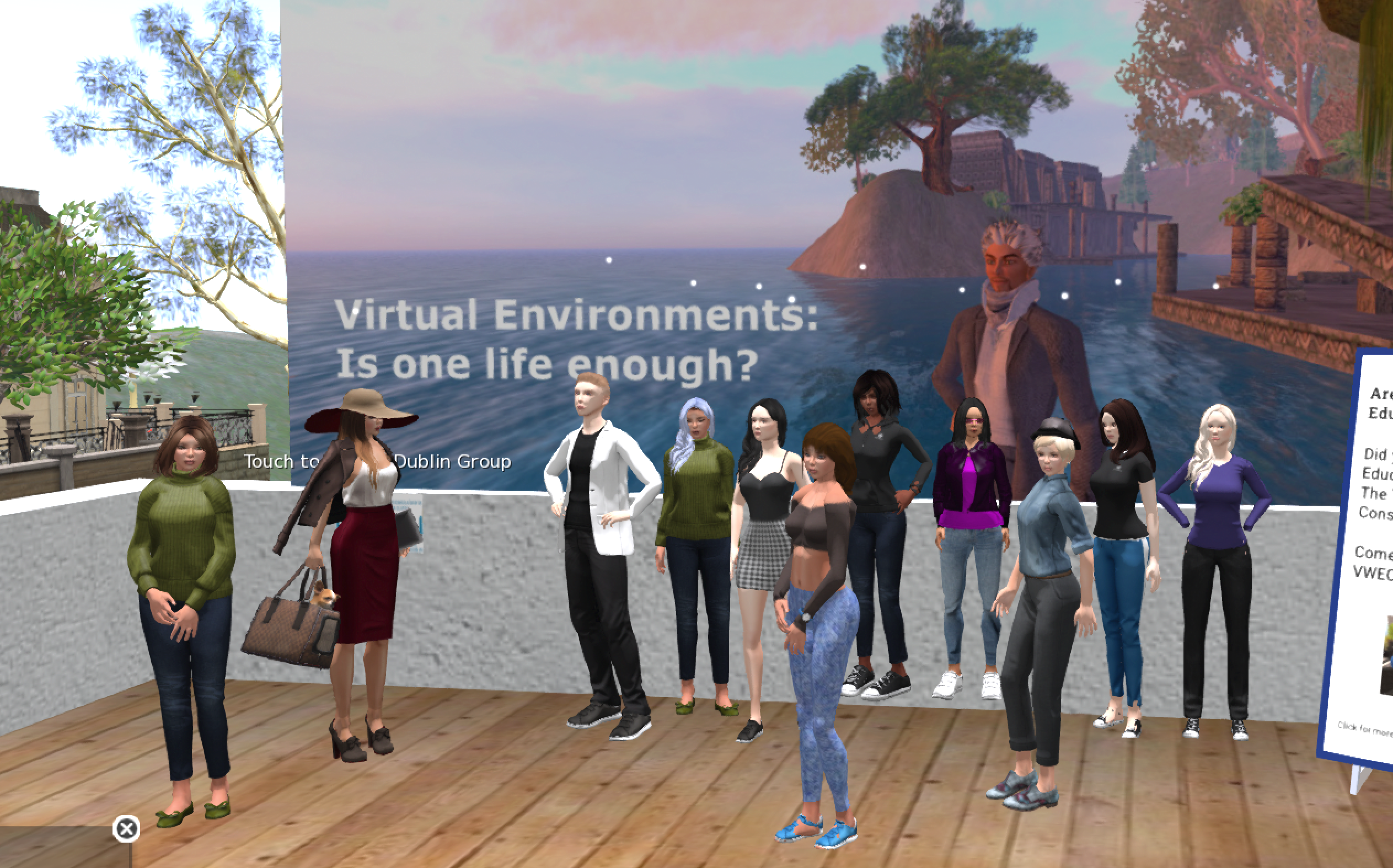
After going outside to the deck for a class photo we teleported to the Çağ (pronounced ‘chaw’) University campus to meet Magua (Prof Murat Gülmez) and Ginger (Ersin İnal) and their student. We set up three teams to work on the Student Challenge. Each team is to meet before the end of the week and select a Team Leader and an Assistant Leader. Their roles are to facilitate team meetings, ensure all team members are communicating with each other and generally try to support team development. Their role is NOT to do all the work or be responsible for team delivery. They will also be the spokespersons for the Team, with the Assistant taking over when the Leader cannot be present. To enable communication outside of SL each team was asked to agree on a communication tool. This will help with arranging meetings efficiently over the course of the semester. You could share email addresses or numbers for an app like WhatsApp.

Next week, each team will be asked to share the name of the Team Leader and Assistant Leader. We will have a talk from Sitearm Madonna on Team Building and have a briefing on the Student Challenge project. We will meet at the Çağ University campus at the usual time.
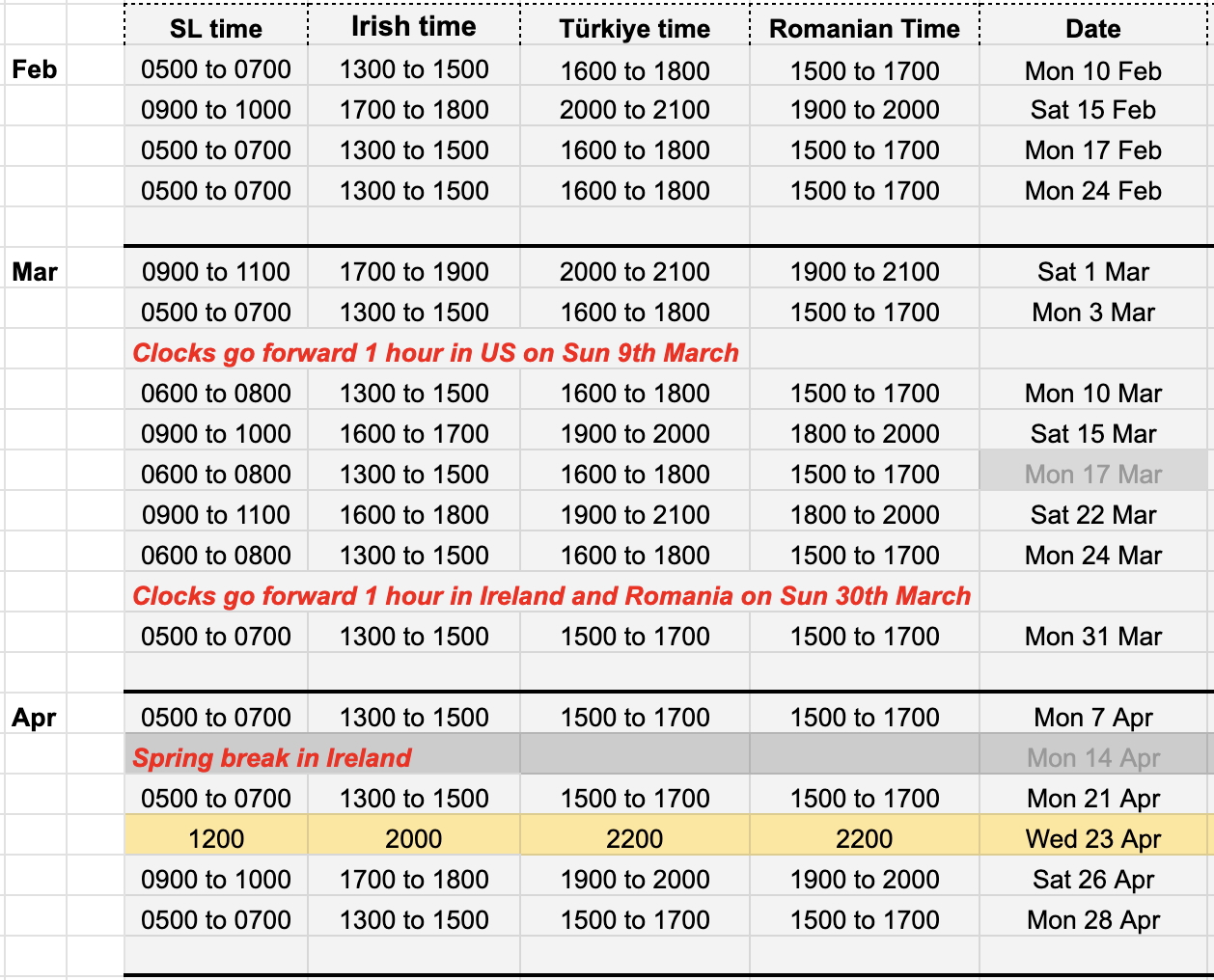
In the meantime, the Student Challenge will be launched on Saturday (see your local time on the schedule above) at the VWEC Student Challenge in Second Life. Please go there directly. If you need any help finding the location once you log into SL you can IM any of the class for a TP. This meeting will last no more than one hour.
 Virtual Environments: Is one life enough?
Leave a comment